101 Ionic Creator Beautiful Side Menu

.
101-Ionic Creator Beautiful Side Menu
1. Create A New Project
Select Side Menu Template
Project Name = Beautiful Side Menu

2. Add Side Menu Items
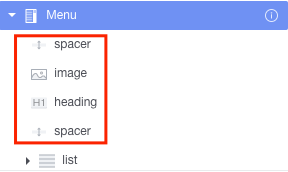
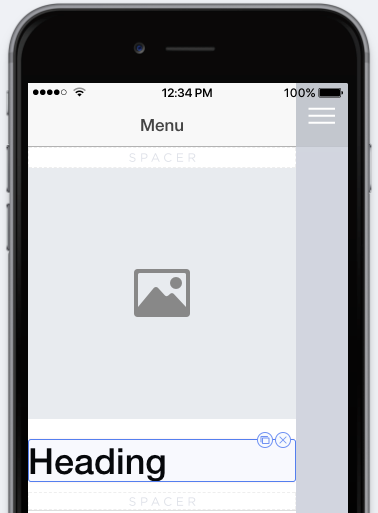

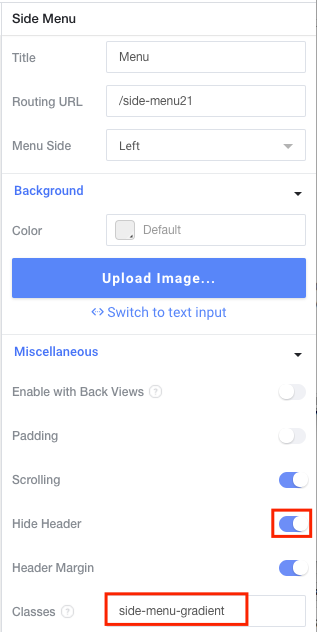
3. Set Properties For Side Menu Items
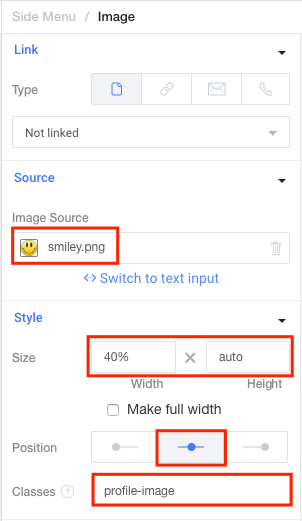


For List Item
Name | Classes | Icon |
Home | side-menu-item | ion-ios-person-outline |
Cart | side-menu-item | ion-ios-cart-outline |
Cloud | side-menu-item | ion-ios-cloud-outline |
4. Edit SCSS
$SIDEMENU_TOP: #ff4b1f; $SIDEMENU_BOTTOM: #ff9068; $SIDEMENU_TRANSPARENCY: rgba(255,255,255,0.4); .side-menu-item{ background:none; color:white; font-weight:300; border:0px; .item-content{ background:none; &.activated{ background: $SIDEMENU_TRANSPARENCY; } } &.active-page-highlight{ .item-content{ background: $SIDEMENU_TRANSPARENCY; } } } .side-menu-gradient{ background: -webkit-linear-gradient(left top, $SIDEMENU_TOP, $SIDEMENU_BOTTOM); background: -o-linear-gradient(bottom right, $SIDEMENU_TOP, $SIDEMENU_BOTTOM); background: -moz-linear-gradient(bottom right, $SIDEMENU_TOP, $SIDEMENU_BOTTOM); background: linear-gradient(to bottom right, $SIDEMENU_TOP, $SIDEMENU_BOTTOM); } .profile-image{ img{ border-radius:50%; margin:10px; border: 4px solid $SIDEMENU_TRANSPARENCY; -webkit-box-shadow: 0px 0px 142px -37px rgba(0,0,0,0.75); -moz-box-shadow: 0px 0px 142px -37px rgba(0,0,0,0.75); box-shadow: 0px 0px 142px -37px rgba(0,0,0,0.75); } } |
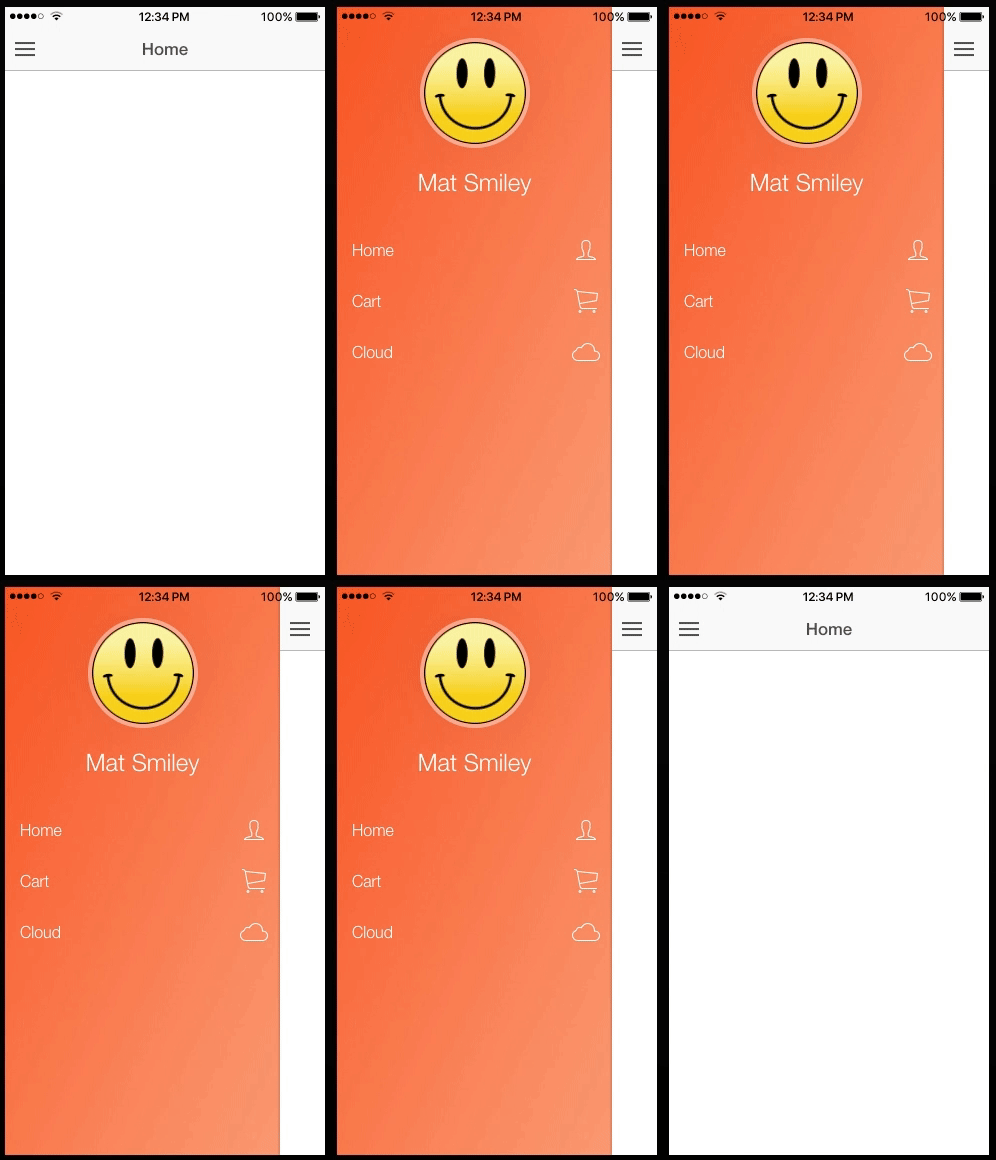
REF:
http://docs.usecreator.com/docs/beautiful-side-menus
.
No comments:
Post a Comment
Note: Only a member of this blog may post a comment.